We can't find the internet
Attempting to reconnect
Something went wrong!
Attempting to reconnect

Welcome to AlchemyPub
This page explains in detail how AlchemyPub works and how you can set it up.
Menu
The menu is generated from all your files in the priv/pages directory. Depending on the layout it is shown as a sidebar on the left or as a bar on top of the page. It consists of three parts:
- On the top are Pages
- In the middle, Posts are ordered by date
- On the bottom, the list of page tags is shown
Menu navigation is handled by Phoenix LiveView patch actions. This means navigating the menu does not trigger a full page reload, it only fetches the new content using websockets and swaps out the relevant parts.
You can set up the page structure as follows.
YAML Frontmatter
Every page can be configured using the YAML frontmatter. Begin the page using:
---
key: value
---
to set properties for each page.
The following properties are available on all pages:
-
title: This sets the title that is shown in the menu. If the title property does not exist, the content of the first header<h1>on the page is used. If there is no header, it defaults to the file name. Example:---title: Home--- -
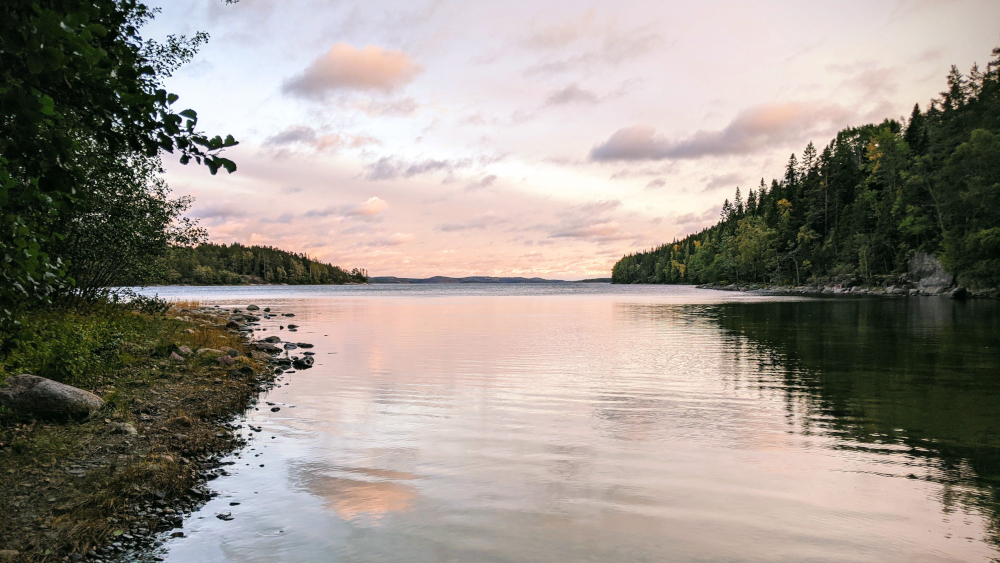
banner: This sets an image to be shown top of the content. The image file has to reside in thepriv/static/imagesfolder. Example:---banner: Tärnättholmarna.jpg--- -
tagsgives each page a list of tags. Pages can be filtered through the tag list on the bottom of the menu. Example:---tags:- Example- Documentation--- -
decksets the type of the page to LiveDeck to display interactive presentations.---deck: true--- -
onesheetturns the page into a single-page reference layout. Content is split into flex columns using---dividers. See Onesheet for details.---onesheet: true--- -
forwardredirects the visitor to an external URL. Useful for creating short links or named redirects within the site.---forward: https://example.com--- -
hiddenhides a page from the menu. It can still be accessed directly, using a link. You can find a hidden page under Secret. Example:---hidden: true--- -
imagesturns the page into an image gallery with a lightbox. The files have to reside in thepriv/static/imagesfolder. See Gallery for details.---images:- grain.jpg- cross.jpg--- -
iframeembeds an external page below the content, filling the remaining height of the window. Useful for a shop, a booking tool or a shared photo album that lives elsewhere.---iframe: https://shop.example.com/--- -
secretlocks the page with a password. Visitors get a prompt, and the page renders once they enter the right password. See Protected for details.---secret: alchemy--- -
bskyshows a Bluesky post and its replies below the content, with buttons to reply or quote. Accepts a post URL or a profile URL. See Bluesky for details.---bsky: https://bsky.app/profile/bsky.app/post/3lxyz123abc--- -
nobothides a page in the menu from webcrawlers that do not handle websocket connections. This is done by filtering it during the inital page delivery. When a browser connects through the websocket, it will show up immediately to the user. The page can still be accessed directly, using a link. Be aware, that by linking the page, it will be picked up by bots again. You can find such a page under Imprint. Example:---nobot: true---
Pages
Pages live in the root of the menu. Their order is manually defined using the rank property. The page with the lowest rank automatically becomes the home page accessible from the root path / of the page. Example:
---
rank: 0
---
Icons
Pages can be given an icon using the icon property. Example:
---
icon: home-modern
---
It uses the Heroicons library and only applies to the sidebar layout. Tailwind only emits the CSS for icons it can find in the source files, so an icon that is only named in a frontmatter has to be added to the list in assets/css/app-sidebar.css:
@source inline("hero-{home-modern,photo,scale}");
Layout
Two layouts are available. Pick one in config/config.exs:
# :sidebar / :minimal
nav_style = :minimal
:sidebarputs the menu in a column on the left: pages with their icons on top, posts grouped by year, decks, tags and the live visitor count. Every page starts with a header showing its title. This is the layout of the documentation site.:minimalcollapses the menu into a single line on top of the page with the page links and toggles for Articles, Decks and Tags that fold out a submenu on demand. Pages with arankabove 100 move from the top bar into the footer, which is a good place for an imprint or privacy page. The bar shows titles only.
The setting selects the stylesheet assets/css/app-<nav_style>.css, so both layouts only include what they need. The value is read at compile time; run mix compile after changing it. Everything else, from the frontmatter options to LiveDeck, works the same in both layouts.
Posts
All files that do not have a rank property automatically become Posts. Posts are sorted by date on the menu, grouped by their year.
The date of a file can be specified using the date property in the frontmatter. Dates are specified using a YYYY-MM-DD string. Example:
---
date: 1845-01-29
---
If no date is set in the frontmatter, it will default to the modification date of the file. This allows you to drop new files in the pages folder without frontmatter, and they will still be ordered reasonably. Be aware that if you change a file, the date will also change. To keep the date of posts fixed, please use the date property.
LiveDeck: Interactive Presentations
Setting the option deck: true in the YAML frontmatter will turn a page into a presentation. For more information on presentations, see LiveDeck.
Links & Navigation
For all files, a url will be generated from its filename to link to the file. Spaces and special characters will be stripped out, and links will work case insensitive. Pages are referenced by name only. Posts will always use the date and name in the path.
Additionally, posts can also be accessed only by their date. The title is only required if multiple posts share the same date. If only the title or the date is given or either one is incorrect, the post will still be found. This allows links to posts to be more stable if either the date or the title is changed later.
The following links all reference the same page:
- Date and title: 1845-01-29/the-raven
- Date only: 1845-01-29
- Title only: the-raven
- Wrong date: 2000-01-29/the-raven
- Wrong title: 1845-01-29/the-chicken
Markdown
Pages are parsed with MDEx, a CommonMark parser. On top of CommonMark, three things are enabled: GFM tables, ~~strikethrough~~ and [[Wikilinks]], which link to another page by its name. Raw HTML in a page is passed through, so snippets like <kbd class="kbd">F</kbd> work. Pages change while the site is running, so Tailwind only knows the classes listed in assets/css/content.css for such snippets. That file is kept small: the handful of daisyUI components and layout, spacing and text utilities the pages use, plus neighbouring spacing steps for quick tweaks. Add a class there when a page needs one. Anchors are generated for every ## and ### heading, and a tab inside a table cell becomes a line break.
Syntax highlighting
Code blocks are highlighted on the server while the page is compiled, using Lumis, so the browser receives finished markup. Lumis knows a large set of languages out of the box, including Elixir, HEEx, Erlang, Rust, JavaScript, TypeScript, YAML, TOML, HTML, CSS, SQL and shell, so a fenced block only needs its language tag:
```elixir
def hello, do: :world
```
Tagged blocks are highlighted; blocks without a tag stay plain. The colors come from the Catppuccin Mocha theme on screen and switch to Catppuccin Latte when printing. Both stylesheets ship with Lumis and are imported in assets/css/code.css, so any of the available themes can be swapped in there.
Analytics
Page visits are tracked anonymously using Phoenix Presence. Visit data — including page, duration, referrer, user agent, and country — is stored in a local SQLite database via Ecto. No external database or configuration is required.
The analytics dashboard is a custom Phoenix LiveDashboard page. In the dev environment it is accessible at /dev/dashboard/analytics. To allow access in production, secure the /dev scope in lib/alchemy_pub_web/router.ex or set the environment variables AUTH_USERNAME and AUTH_PASSWORD for basic auth.
Visiting the analytics page sets an admin cookie, which enables admin mode across the site — indicated by the Admin badge in the menu and unlocking presenter controls in LiveDeck.